
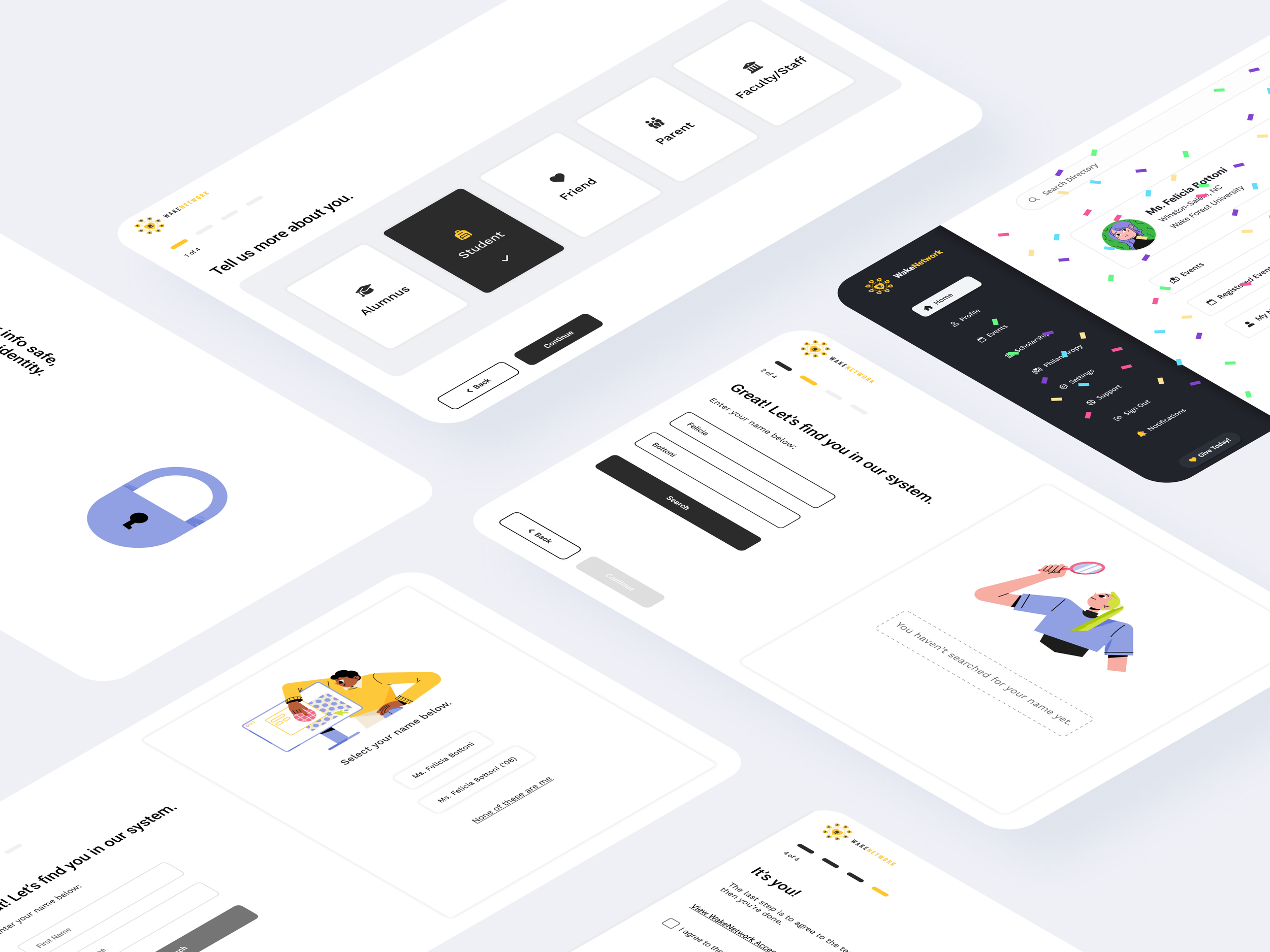
Redesigning the onboarding experience for WakeNetwork
Using Google Analytics, we found that 35% of users were dropping off during the account-matching step in onboarding. In response, we kicked off an onboarding redesign to improve completion and successful sign-ups, while reducing the volume of support tickets.
Problem
Using Google Analytics, we found that 35% of users were failing identity verification during onboarding—after successfully matching to a profile in our database—for three main reasons:
Last four of SSN requirement: We asked all users for the last four digits of their SSN, but SSN data was only consistently available for alumni from the class of 2000 onward.
Student ID as a fallback: The alternative was a student ID, but the university didn’t issue student IDs for graduates prior to 1990.
Slow manual verification for older cohorts: Alumni from earlier years were routed into a manual verification process that took several days. By the time verification was completed, many users had dropped off and stopped responding.
Discovery / Research
After analyzing onboarding drop-off, we found that Empty Nesters and Senior users accounted for most incomplete sign-ups. This pointed to a clear need for more guidance and more approachable, plain-language explanations during identity verification—especially to help users understand why we were requesting sensitive information and how it was used to match them to their constituent profile in our database.
In reviewing strong examples of “guided” digital flows, we found tools like H&R Block and TurboTax set the standard for effective hand-holding. For example, H&R Block uses a simple progress indicator to show where users are in the process, while keeping each step focused by limiting questions and options per screen. We incorporated this same pattern into the redesigned onboarding experience.
Persona: Empty Nesters
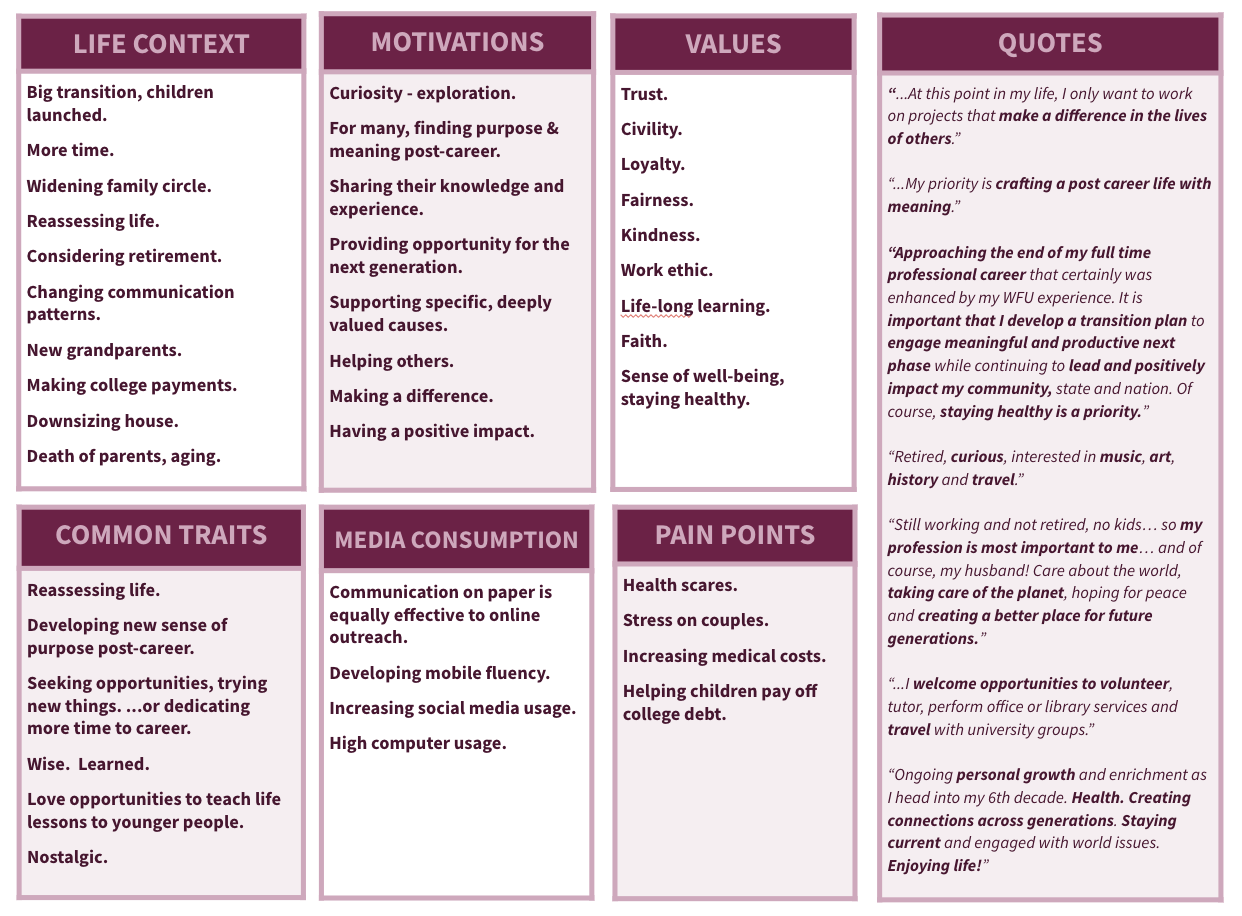
Persona: Seniors

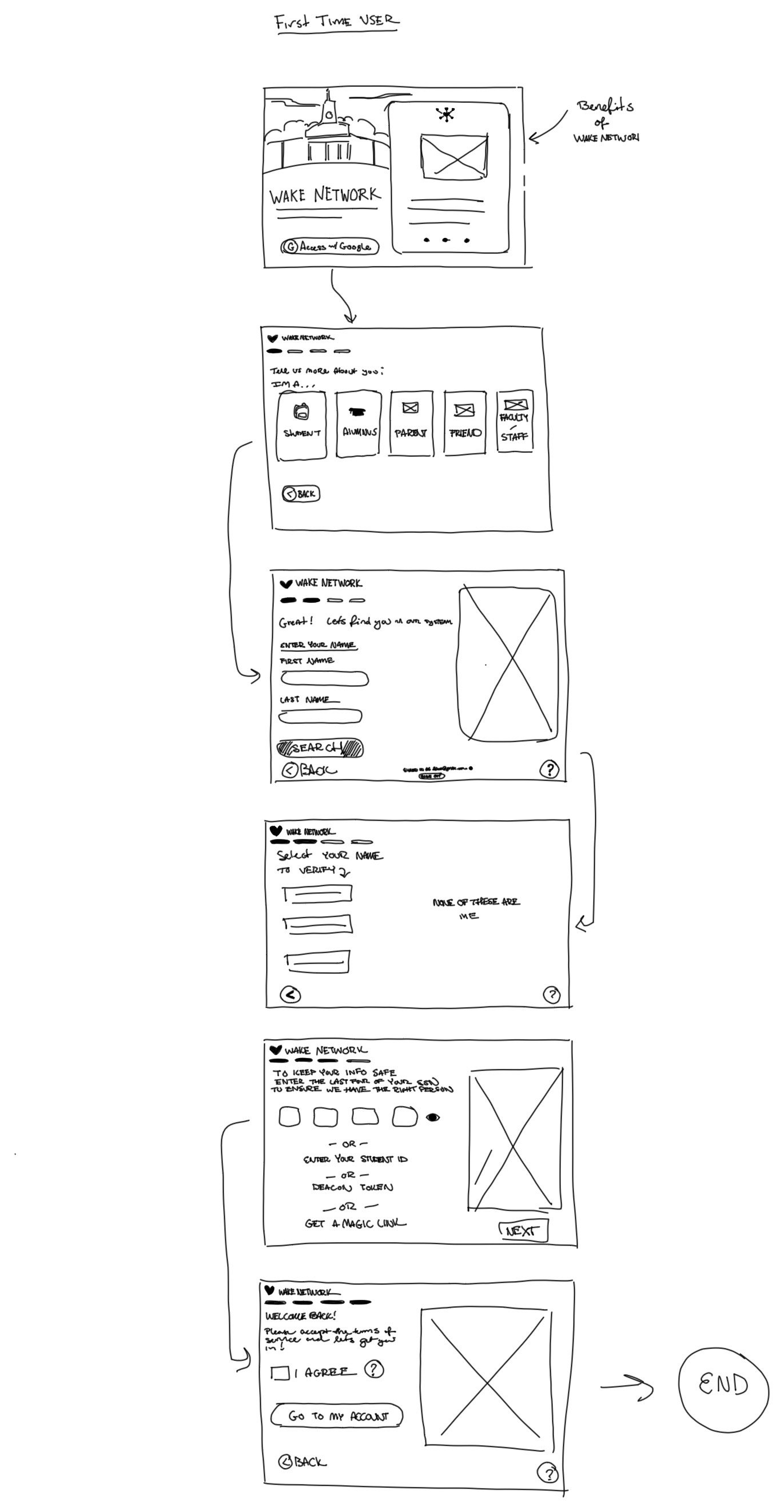
Sketches
A rough draft of the proposed user flow, and wireframe for the new onboarding process.
User flow inspiration from H&R Block.
This UI pattern from H&R Blocks’ self-directed online tax prep shows a multilevel progress bar, clear, simple language, large buttons, and a page that limits options for ease of use.
I used this UI pattern to guide our new user flow and design to make the onboarding experience easier for our Empty Nesters.

Old Experience
Old first-time user experience provided no path forward for users who had no SSN or student ID on file.
Final Design and User Flow


